Finding the balance took a detour
Cardholders had to find and open a credit card statement just to check their points.
Maybank · 2024
TreatsPoints is Maybank’s card rewards programme. In MAE, cardholders can track their points and browse rewards to redeem.
01 — Overview
Before this feature, MAE cardholders had to open their monthly credit card statement to check their TreatsPoints balance and see how many points were due to expire. That made a simple question like “Do I have points to use before the end of the month?” a statement lookup.
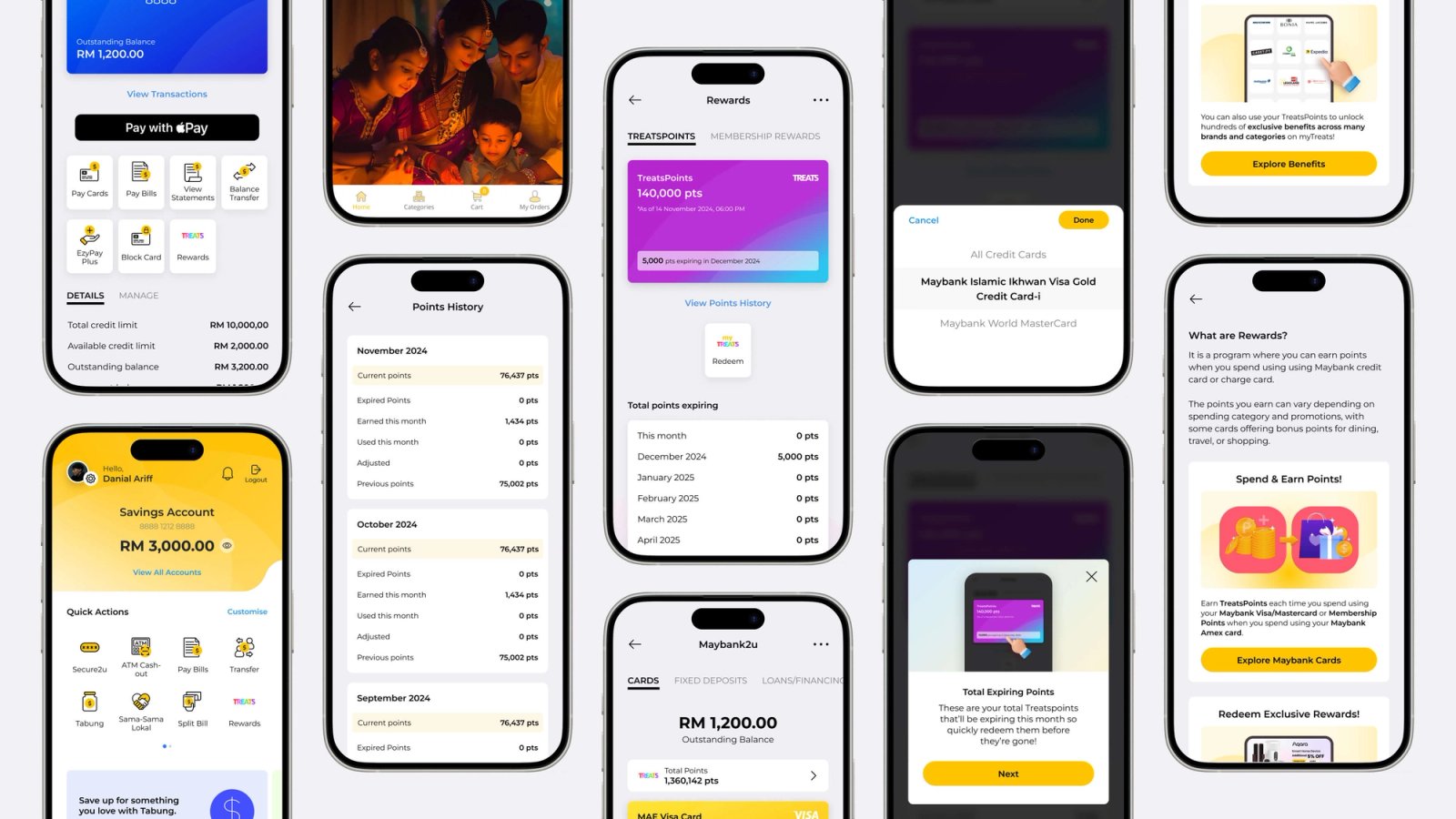
I designed the TreatsPoints experience in MAE so cardholders could see their balance, updated daily, and check when their points would expire. From Cards, they could also access the myTREATS catalogue to see what they could redeem.
02 — Statistics
-60%
Time to find a points balance
45 → 18 seconds to find the balance from the MAE home screen.
90%
Expiry details understood
18 in 20 participants identified how many points would expire next and when.
25%
Catalogue visits
25 in 100 visitors to the TreatsPoints dashboard opened the catalogue
03 — Problems
Finding the balance took a detour
Cardholders had to find and open a credit card statement just to check their points.
The balance was tied to the statement cycle
A monthly statement showed a snapshot, while cardholders might want to check their points between statements.
Expiry took a closer look
Cardholders needed to find both the number of points expiring and the date they would expire.
Checking points and choosing a reward were separate tasks
After reviewing the statement, cardholders still had to find the catalogue to see what they could redeem.
04 — Research
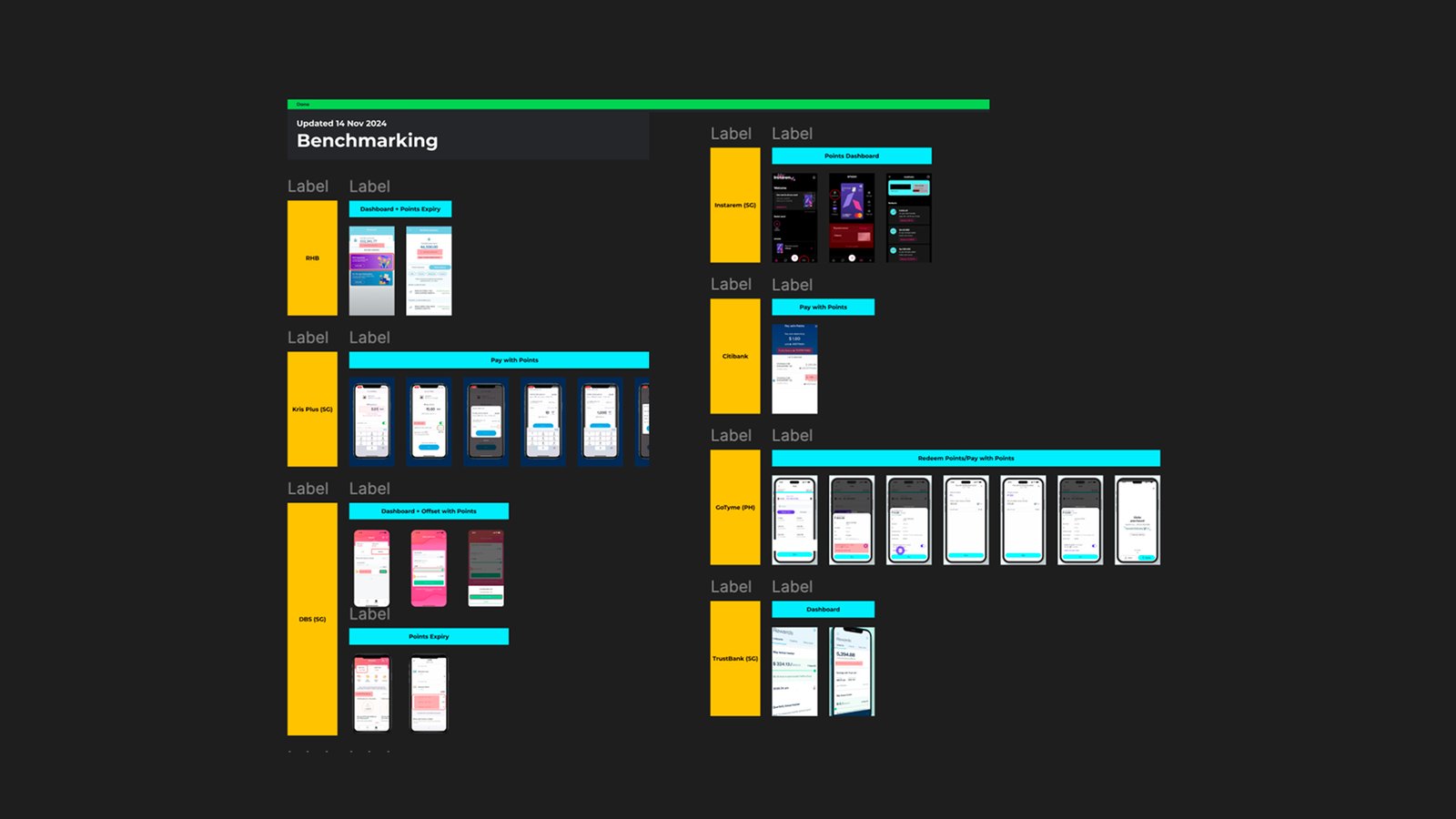
I used desk research and competitor analysis to explore how rewards programmes present points and expiry. I collaborated closely with the UX Researcher to gather usability feedback through surveys to understand how people interpreted the TreatsPoints design.
Reviewed how Maybank cardholders checked their balance and expiry details through their credit card statements.
Compared how other rewards programmes displayed balances, explained expiry, and guided users to redemption.
Gathered feedback on how easy it was to read the points balance and understand how many points were expiring and when.
05 — Findings
06 — Ideation
Content
Where are my points?
Give TreatsPoints an entry point from Cards, where cardholders already manage their cards.
How many do I have?
Lead with the current balance and update it daily.
What’s expiring next?
Show the number of expiring points alongside the expiry date.
What can I redeem?
Give cardholders a direct route from the dashboard to the myTREATS catalogue.
07 — Validation
Find TreatsPoints
Ask cardholders where they’d go in MAE to check their rewards.
Read the balance
Check whether they can identify how many points they have available.
Read the next expiry
Ask them how many points are due to expire and by what date.
Find a reward
Ask them to open the catalogue and find an item they could redeem with their balance.
08 — Features
Next projects